Skip to content

Class booking and management software Β· Pilates, gyms, boxes and group classes

Studio App β€” bookings, payments and invoices for Pilates studios and gyms.

One app for members and one panel for the team. Group class booking with capacity limits, waitlist, MB WAY and Multibanco payments, automatic invoices and a referral programme β€” all connected, with no phone calls and no spreadsheets.

Request a demo
00-hero.png
The problem

In a Pilates studio, a gym or a CrossFit box, the day disappears on the phone and on WhatsApp: someone wants to try a class, someone wants to book, someone cancelled at the last minute and left a machine empty, someone has not paid yet. Reception chases people and the director closes the month issuing invoices by hand. Growth depends on word of mouth β€” and nobody measures or rewards it.

The solution

Studio App puts each step in the right hands. The person books the trial, signs up and pays on her phone; the waitlist fills freed seats on its own; the invoice goes out without anyone clicking; the team sees the grid, attendance and queues in one panel. And every member carries an invitation to bring friends β€” with a discount for both.

1

From trial class to invoice, no reception needed

Every lead cost a phone call, a sheet of paper and an "I'll call you back".

  1. The person picks studio, day and time on the website and confirms her phone by entering the code received by SMS.
  2. She gets the confirmation with the address, the map link and a link to cancel if she can't make it.
  3. After the class she signs up: picks a plan and pays by MB WAY or Multibanco reference.
  4. Once the payment is confirmed, she gets access to the app.
  5. On her first login she enters her tax number (NIF) and the invoice is issued automatically.

The app allows one trial per phone number and can cap the number of trials per class.

15paid online signups per week on average, through the app
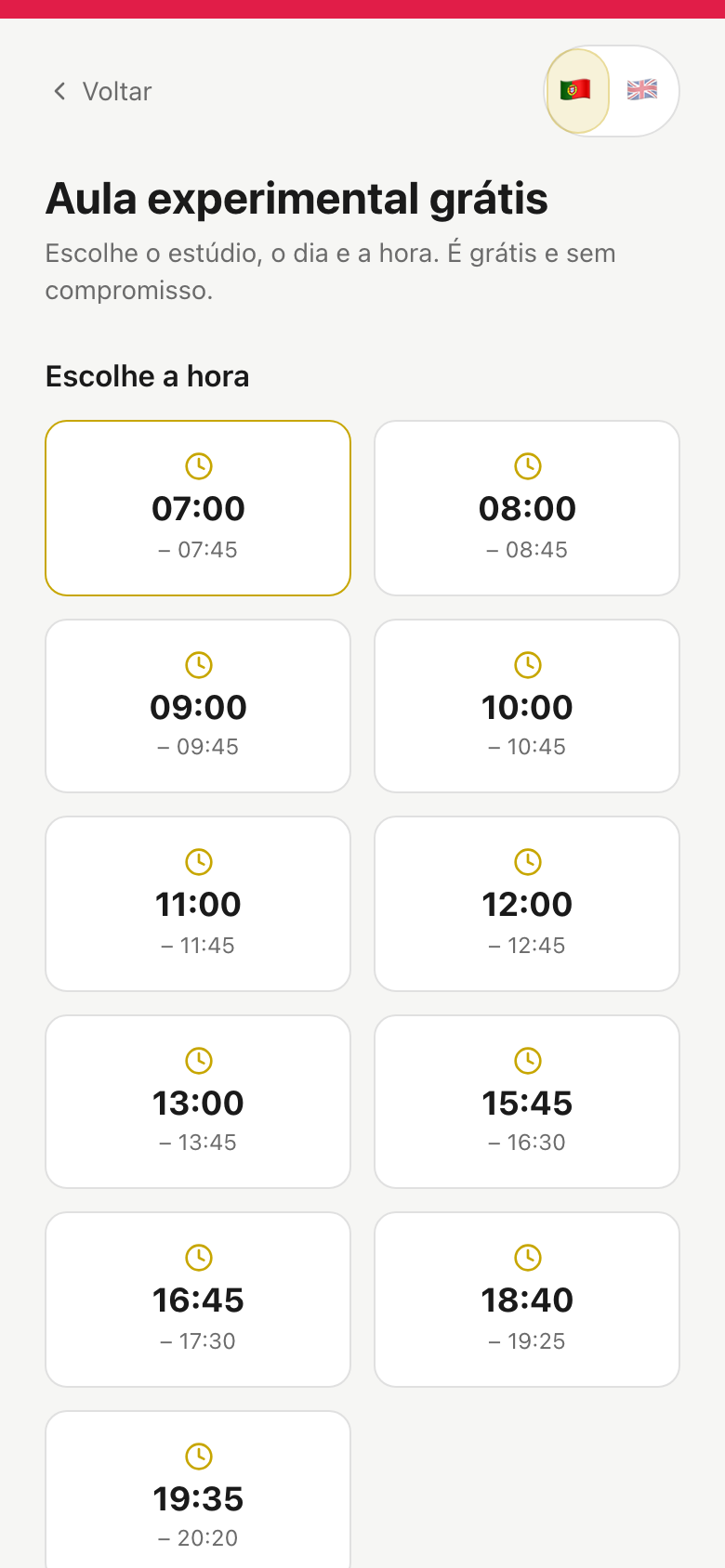
01a-trial-pick-time.png
2

The waitlist fills seats on its own

A late cancellation left a machine empty and reception on the phone.

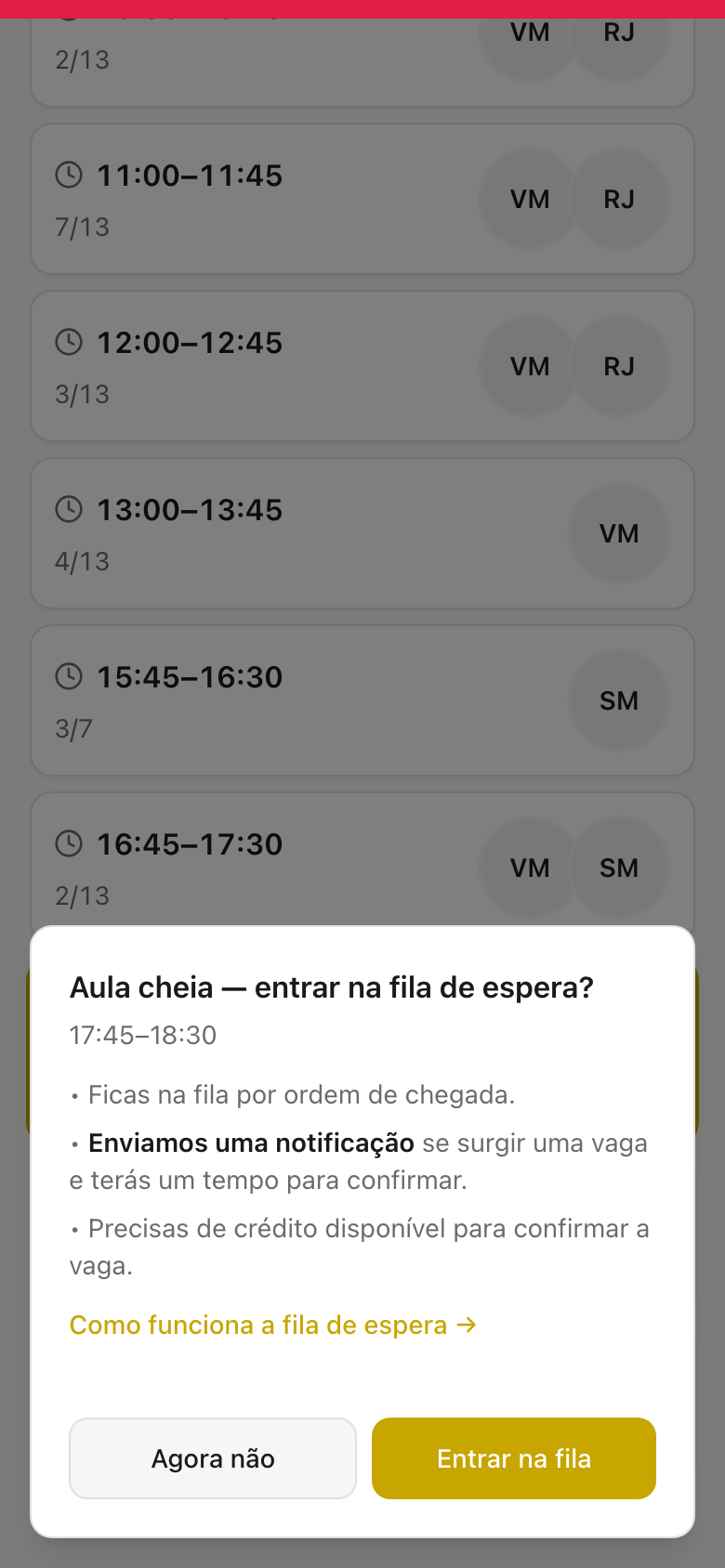
  1. The class is full: the member joins the queue with one tap and sees how many are ahead of her.
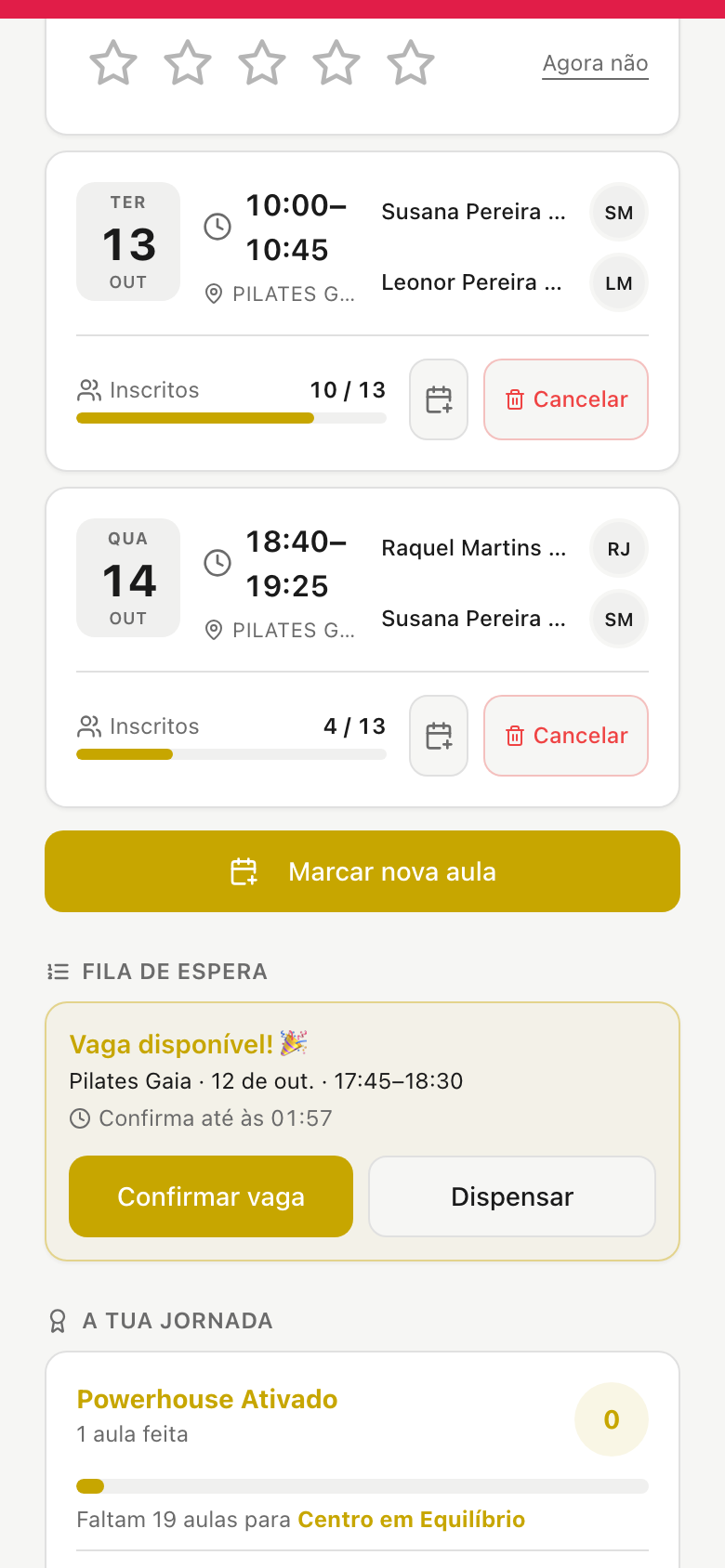
  2. Someone cancels: the seat is offered to the first in line, with a notification and a deadline to confirm.
  3. No confirmation in time? It moves to the next. In the last hour before class the seat is open to everyone.
  4. The director watches every queue live and can confirm a seat on a member's behalf.

The deadline adapts to how close the class is β€” 2 h, 1 h or 30 min β€” and pauses overnight: no seat dies at 3 a.m.

90%of offered seats get filled
02a-waitlist-join.png 02b-waitlist-offer.png
3

The app members use every day

Booking, cancelling and checking credits always went through reception.

  1. She signs in with an SMS code, Face ID or a fingerprint. No passwords to forget.
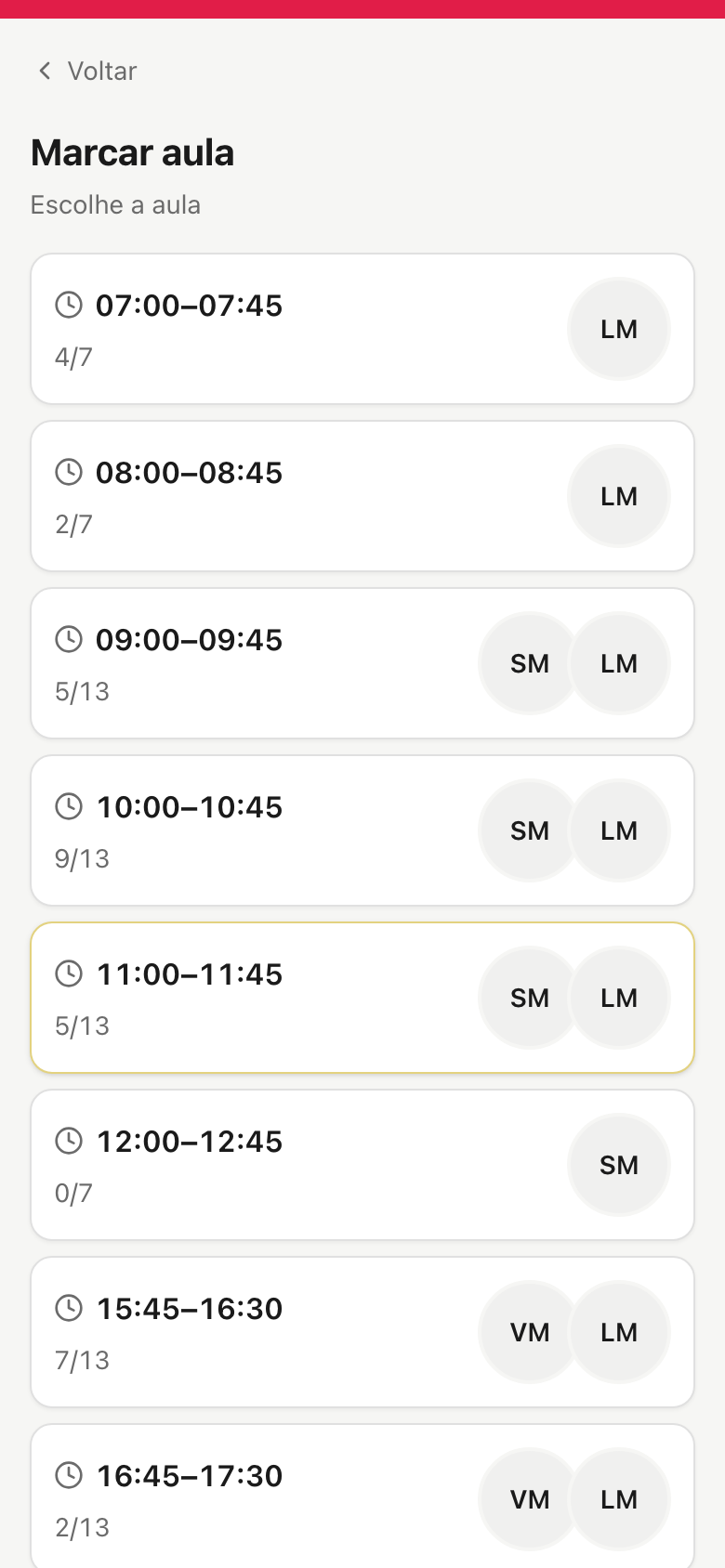
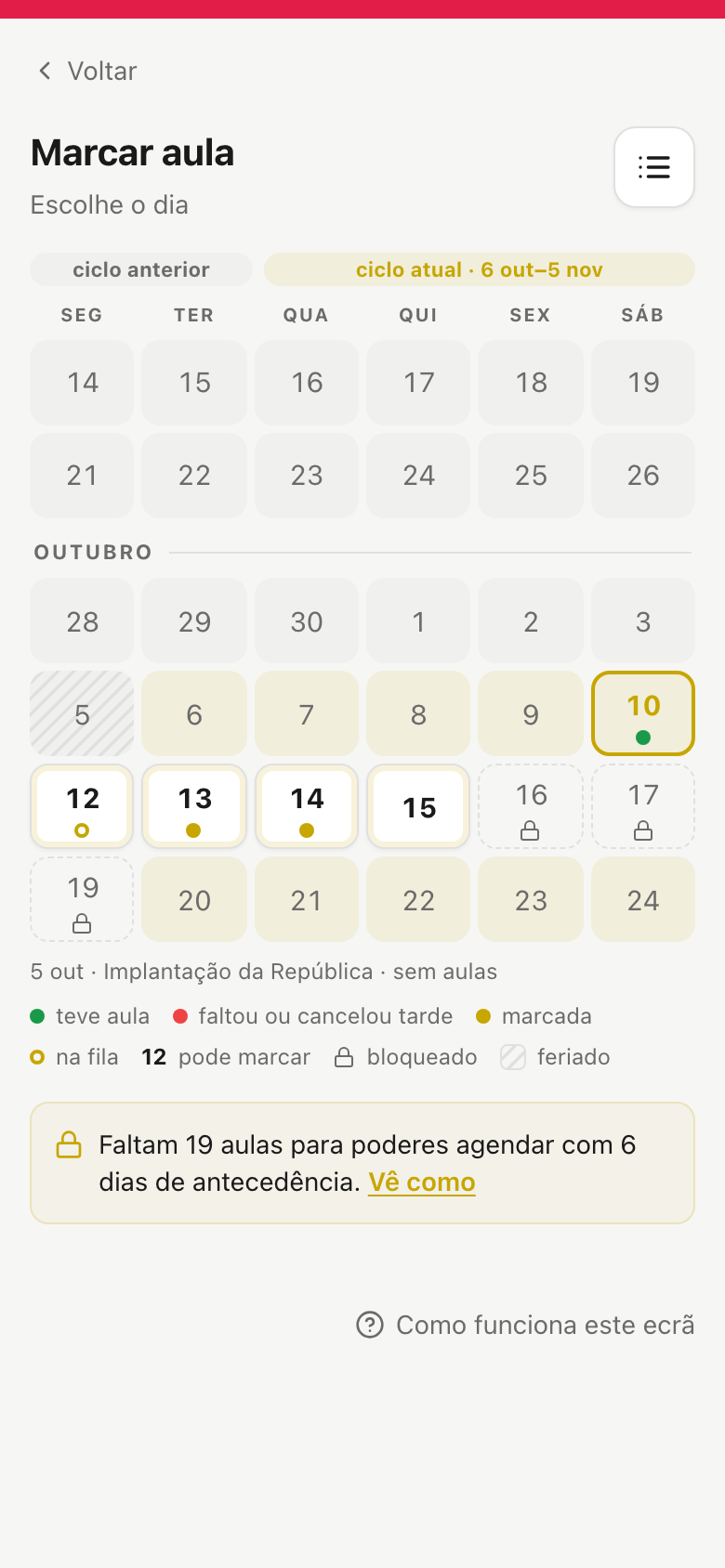
  2. She books from a list or from the "pick a day" calendar, at either studio β€” never overbooked.
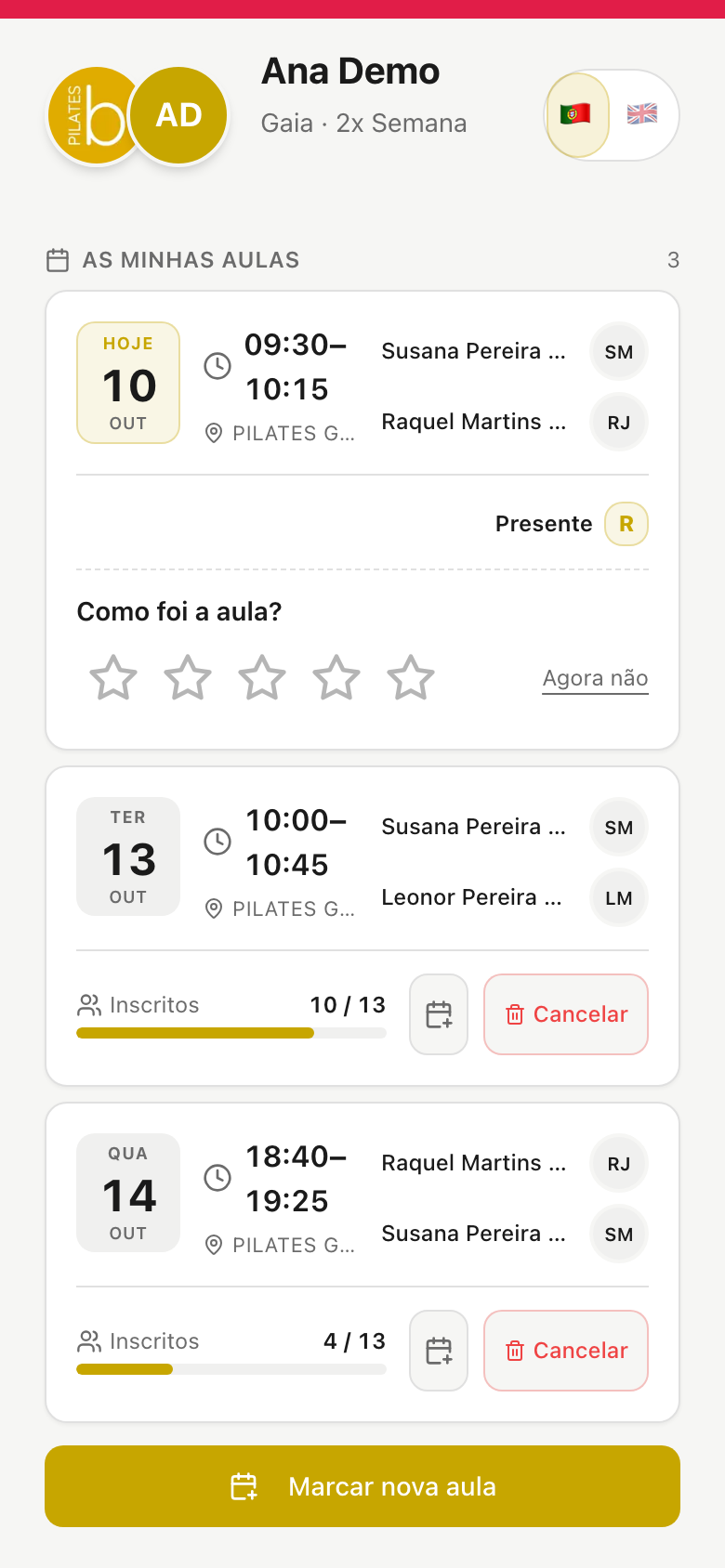
  3. She sees this cycle's credits, her history and the next payment; changes plan or buys a pack.
  4. She cancels up to 1 h before, adds the class to her phone calendar and messages the studio on WhatsApp.

Installs on the phone like an app, in Portuguese and English, with notifications and a guide for every screen.

90%of members open the app at least twice a week
03a-book-classes.png 03b-book-calendar.png
4

The team's grid and calendar

The week was rebuilt by hand and nobody knew for sure who was coming to class.

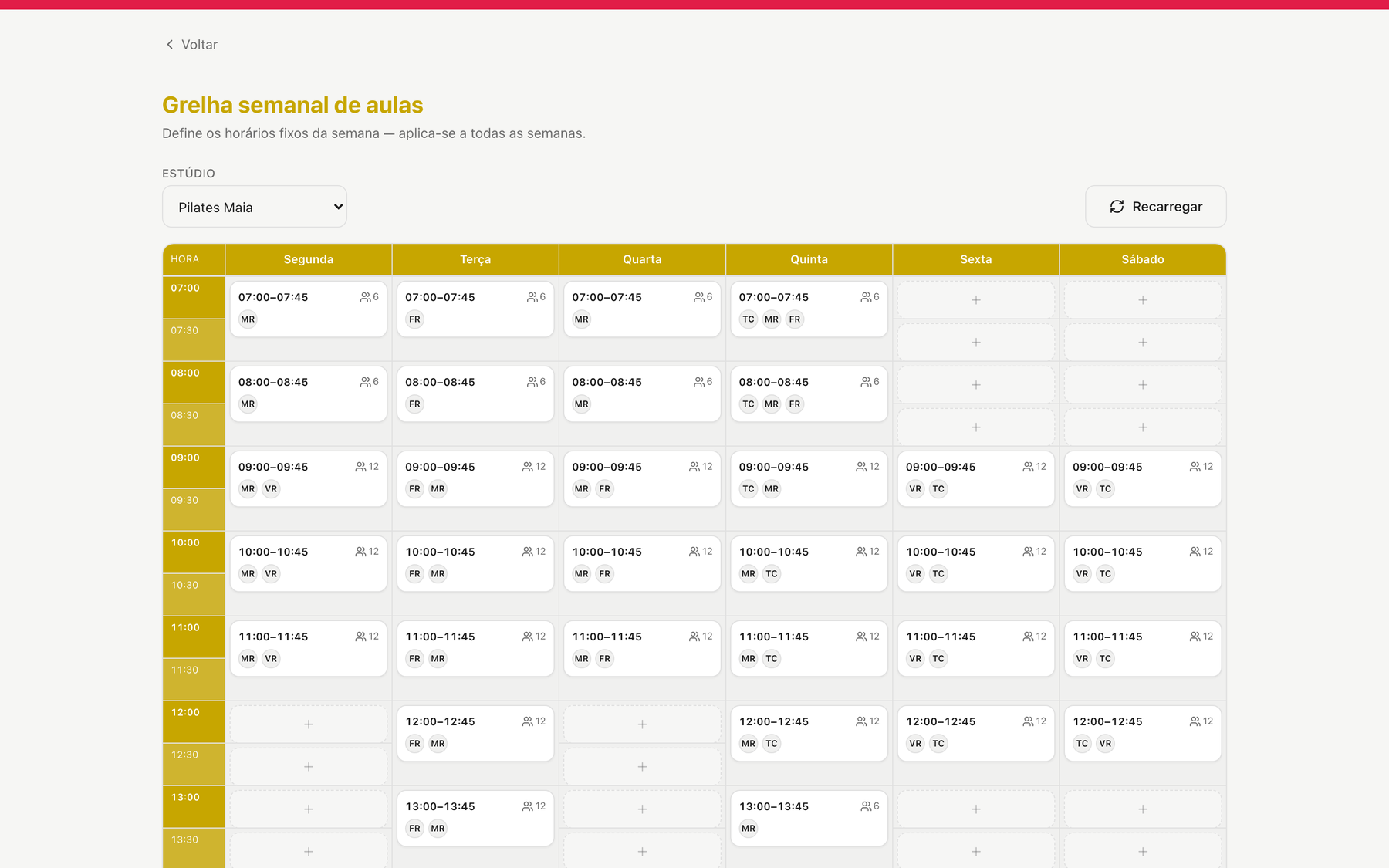
  1. Set the weekly grid once: times, instructors and capacity β€” which is the number of machines.
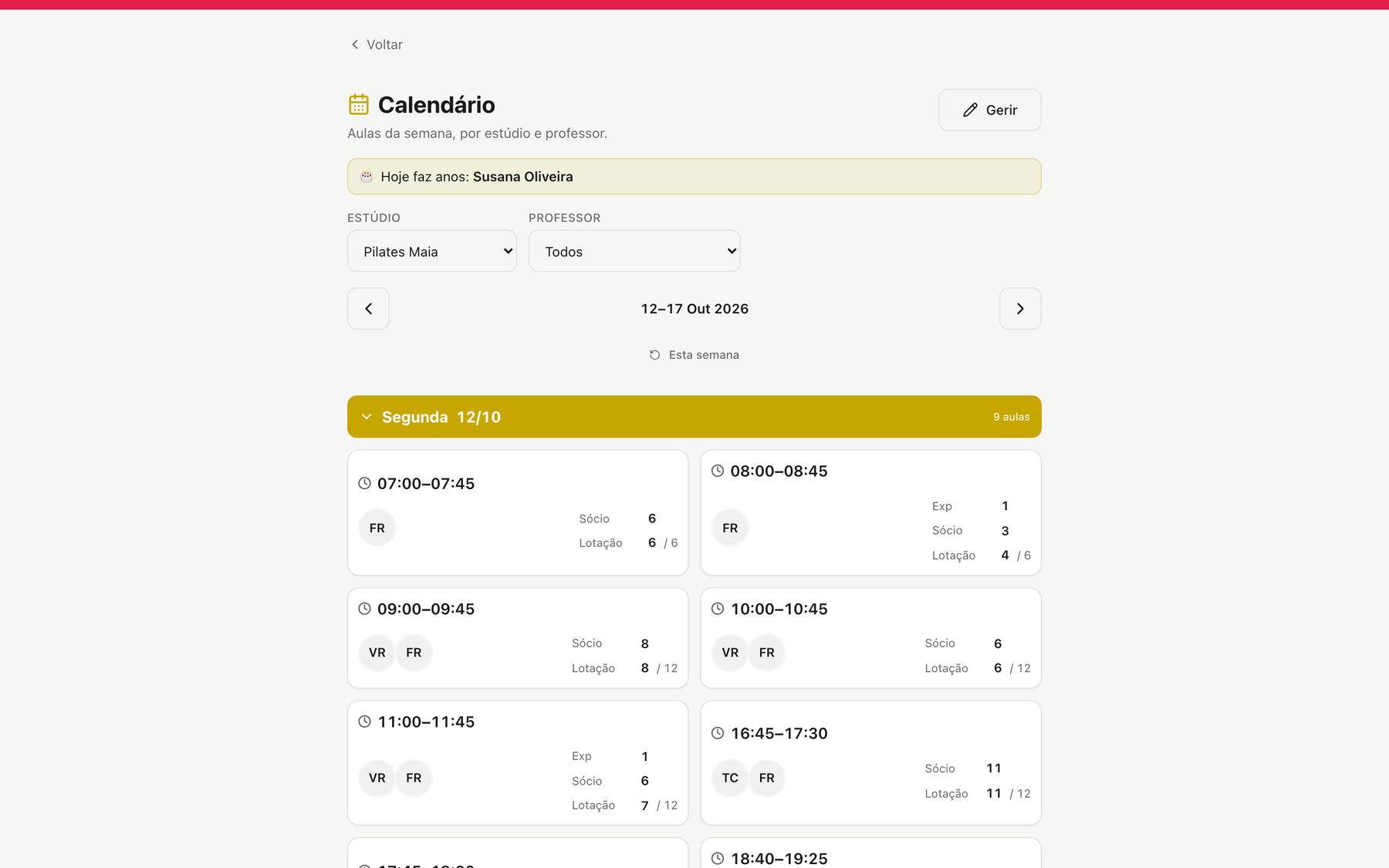
  2. The calendar generates itself; adjust a day, a holiday or a substitute without touching the grid.
  3. Open the class: the roster with photo, plan and the waitlist.
  4. Mark attendance per apparatus β€” Reformer, Wunda, Wall β€” and everything is on record.

Multiple studios, one member list; different access roles β€” for example instructor and director β€” and a log of everything that changed and who changed it.

50+classes a week in each studio, managed on one grid
04a-admin-grelha.png 04b-admin-calendar-week.png
5

Grow and keep members

Word of mouth went unmeasured and attendance went unrewarded.

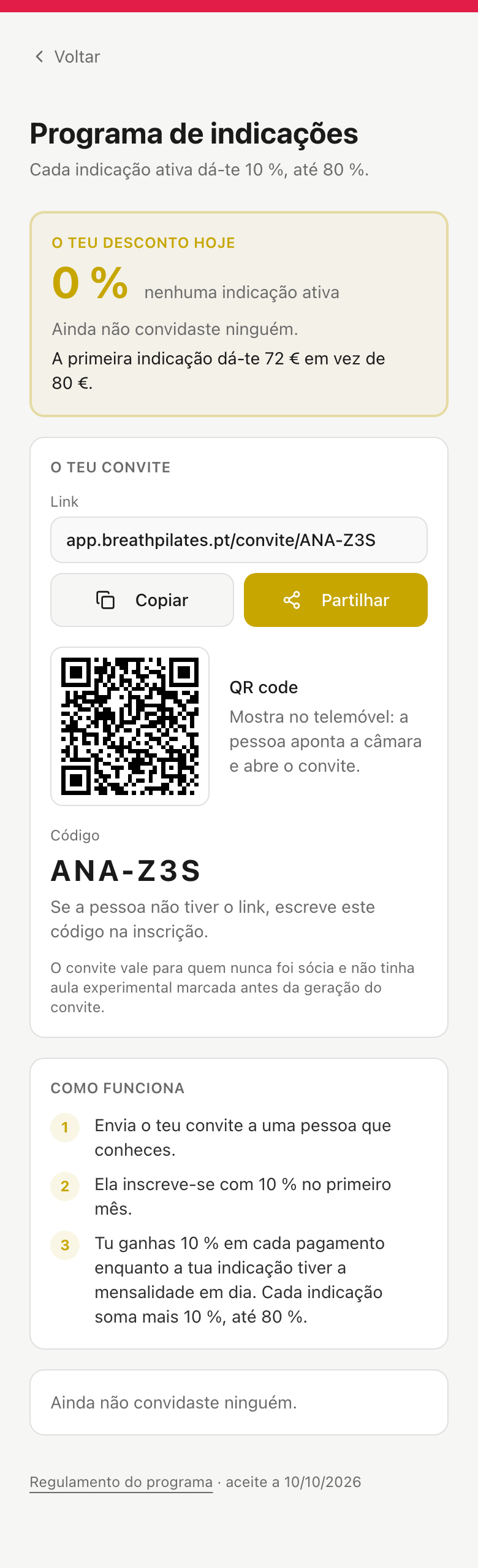
  1. Referral programme: every member has an invite link and code; whoever uses it gets 10 % off the first month, and she gets 10 % off every payment while the referral stays active β€” up to 50 %, or whatever you configure.
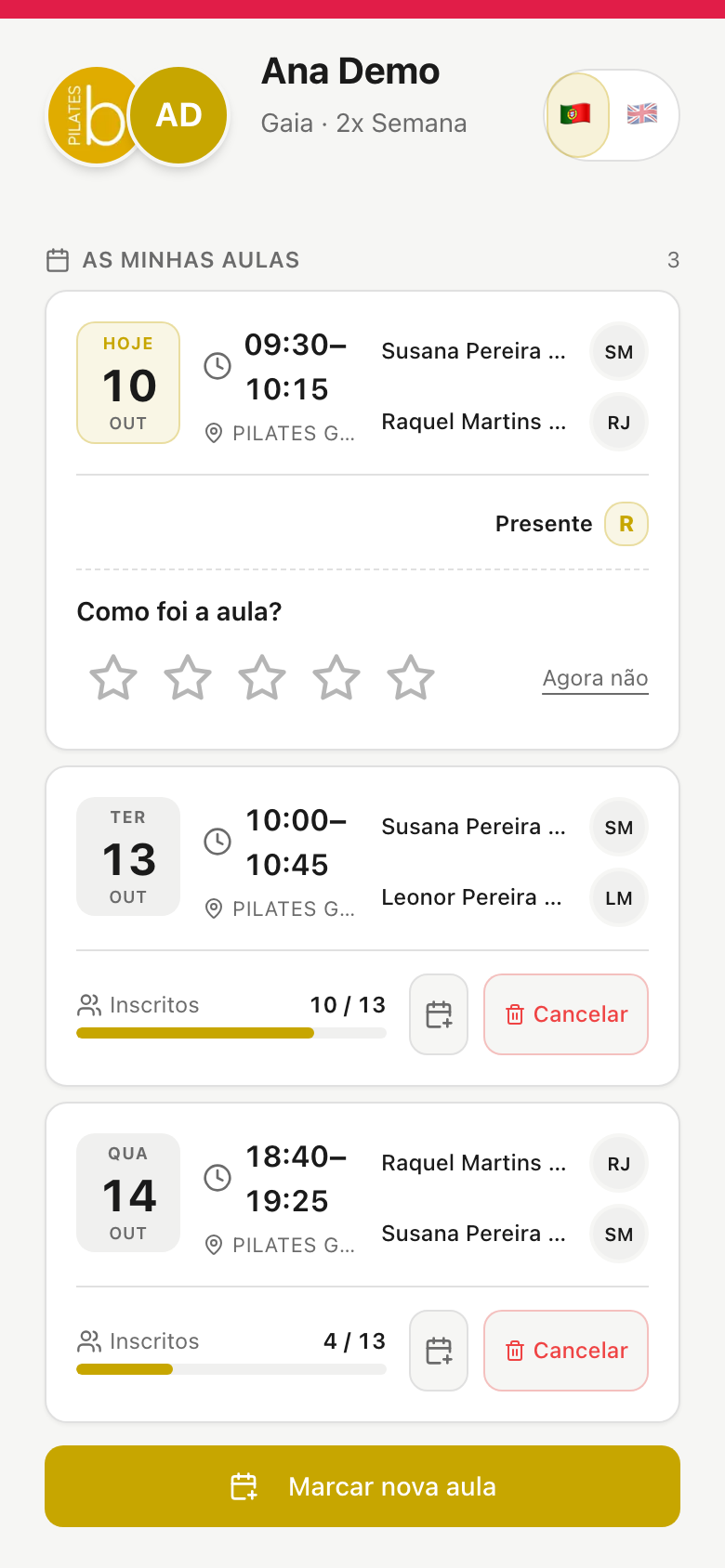
  2. Rating system: after class, the member rates it 1 to 5 stars; the director sees averages by studio, apparatus and instructor.
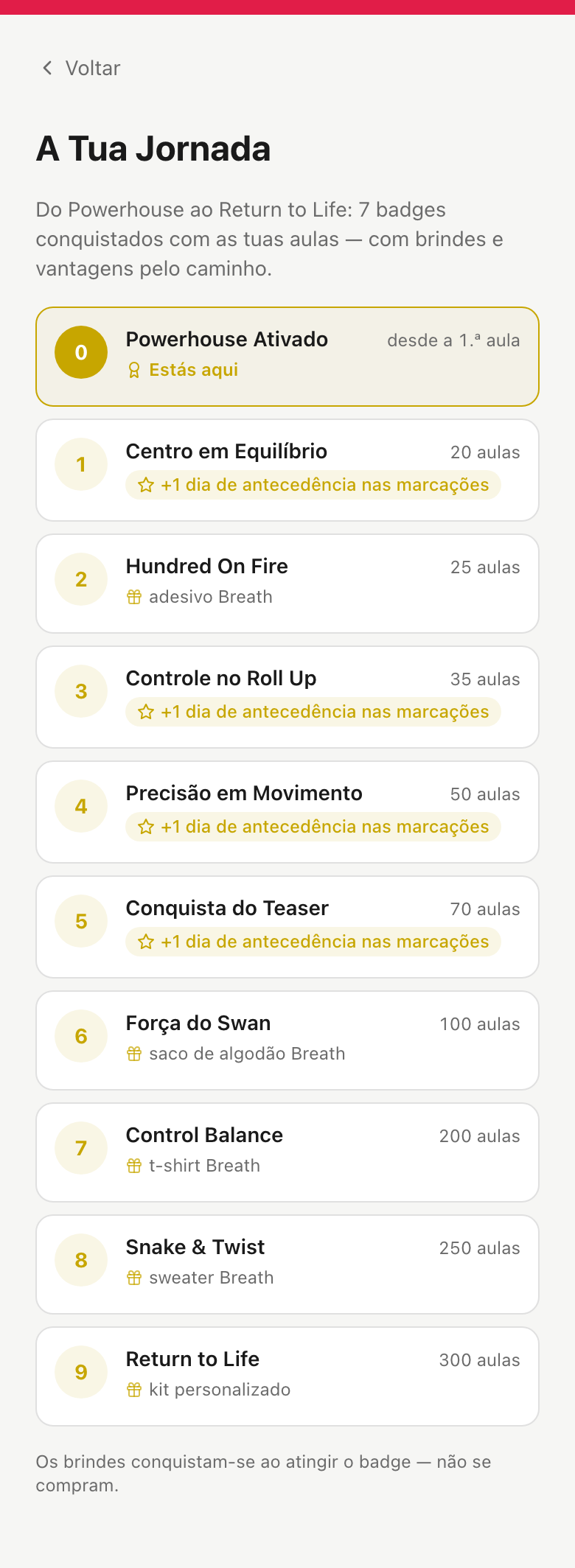
  3. Gamification: every class counts towards the journey β€” 9 badges with gifts and extra days of booking advance.
  4. On her birthday the member gets a message, and the team sees the cue on the class roster.

Increase retention with a solid, self-running growth strategy.

60%of members rate their class β€” 4.9 β˜… on average
05a-referrals.png 05b-rate-class.png

Also included

  • Automatic remindersSMS and notifications the day before class and before a payment is due.
  • Pause and reactivationthe director suspends the account; the member reactivates herself and gets her days back.
  • Packs and campaigns3, 6 or 12 months at a discount, campaigns switched on and off without code.
  • Payments receiveda filterable list with invoice, refund and certified credit note.
  • 30-day cycle instead of calendar monthclasses and payments move together, counted from the member's start date.
  • Member recordsearch by any word, director notes, discounts, health adjustments.
  • Activity logwho did what, when, and on which apparatus.
  • Indicator dashboardto keep track of your business.
  • GDPRversioned consents and account erasure at the member's request.
  • Two languagesPortuguese and English on every public door.
  • Configurable and customisablethe app adapts to the way you work.
  • 100% availablein the cloud, with no slowdowns and no access problems.

See it in action

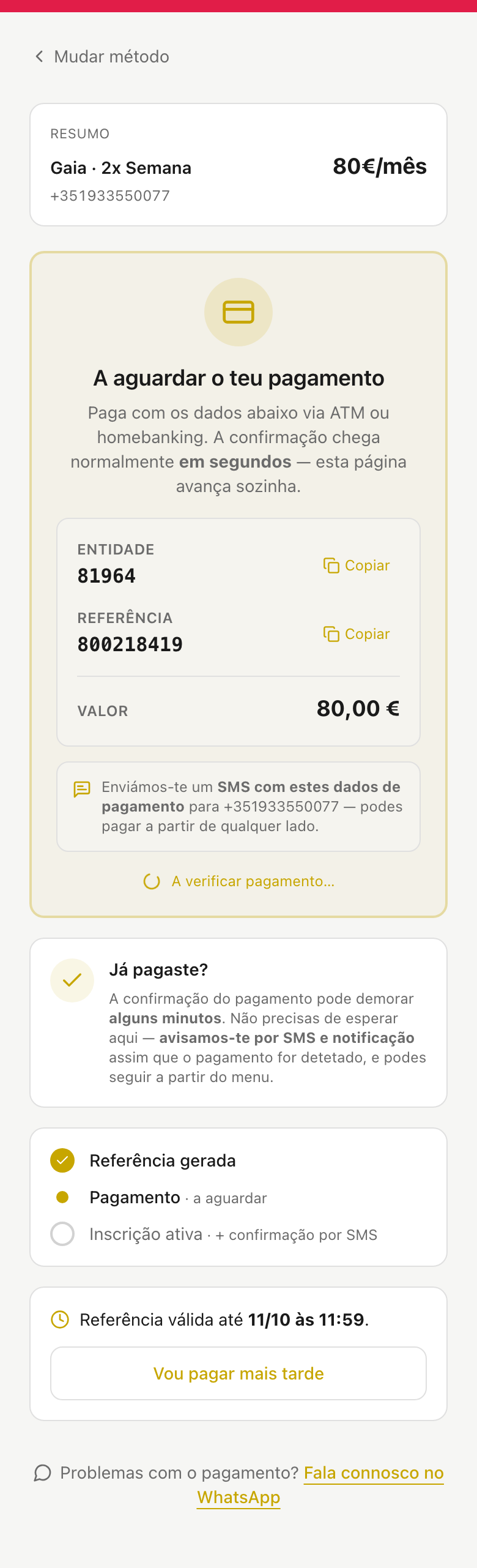
01b-signup-payment-multibanco.png
Signup payment by Multibanco reference β€” the page advances on its own when the bank confirms.
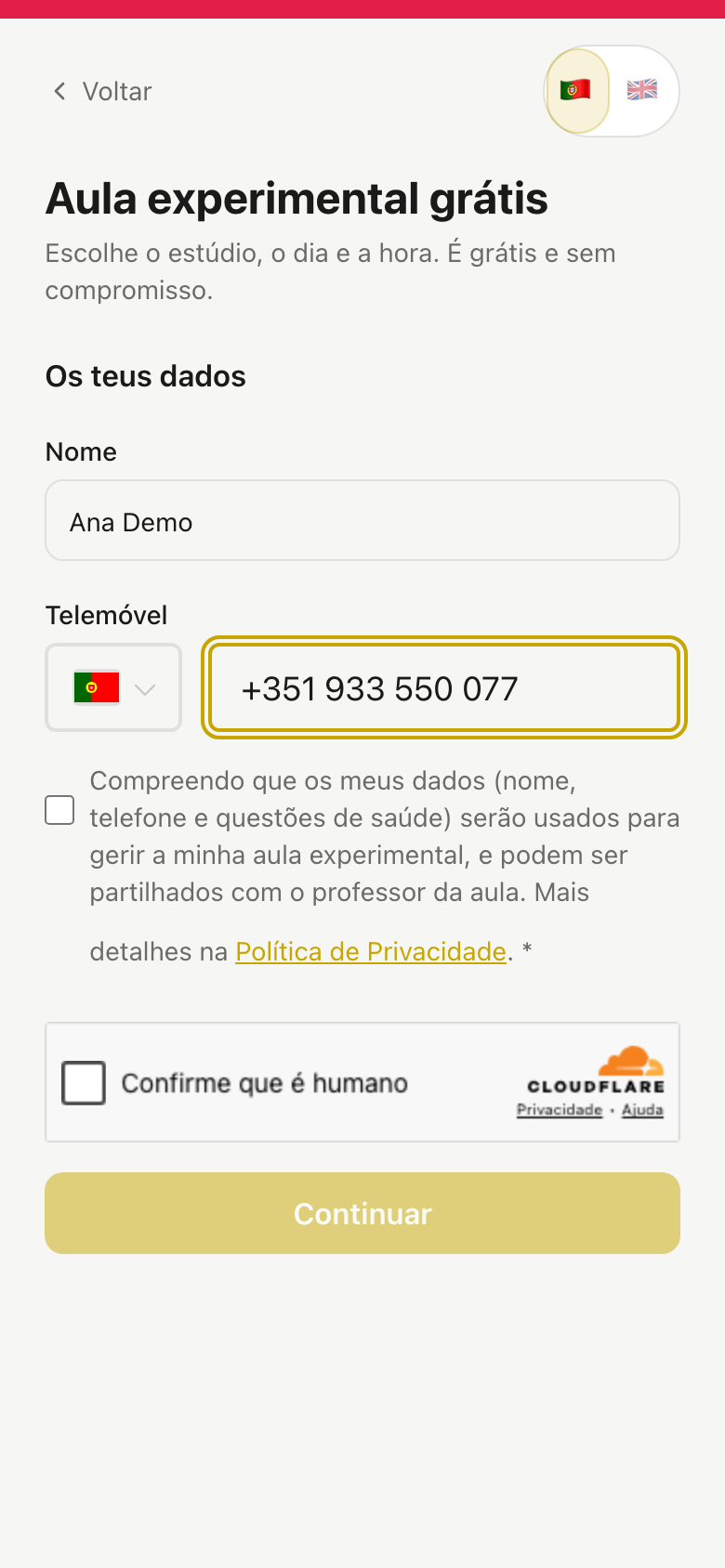
01c-trial-form.png
Trial booking form: name, phone, privacy consent and the human check.
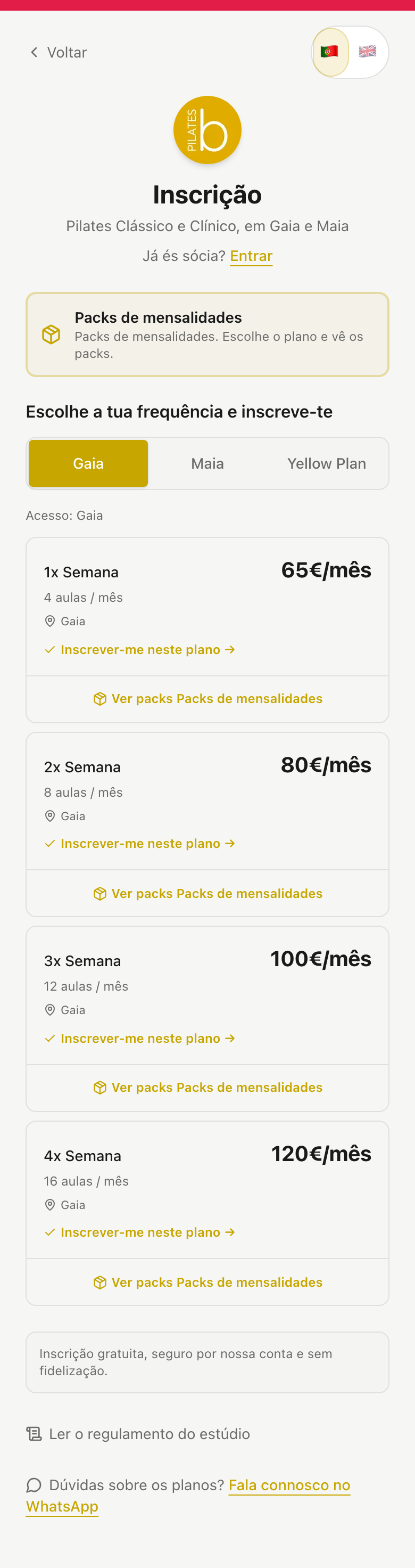
01d-signup-plans.png
Online signup: choose the studio and the weekly frequency.
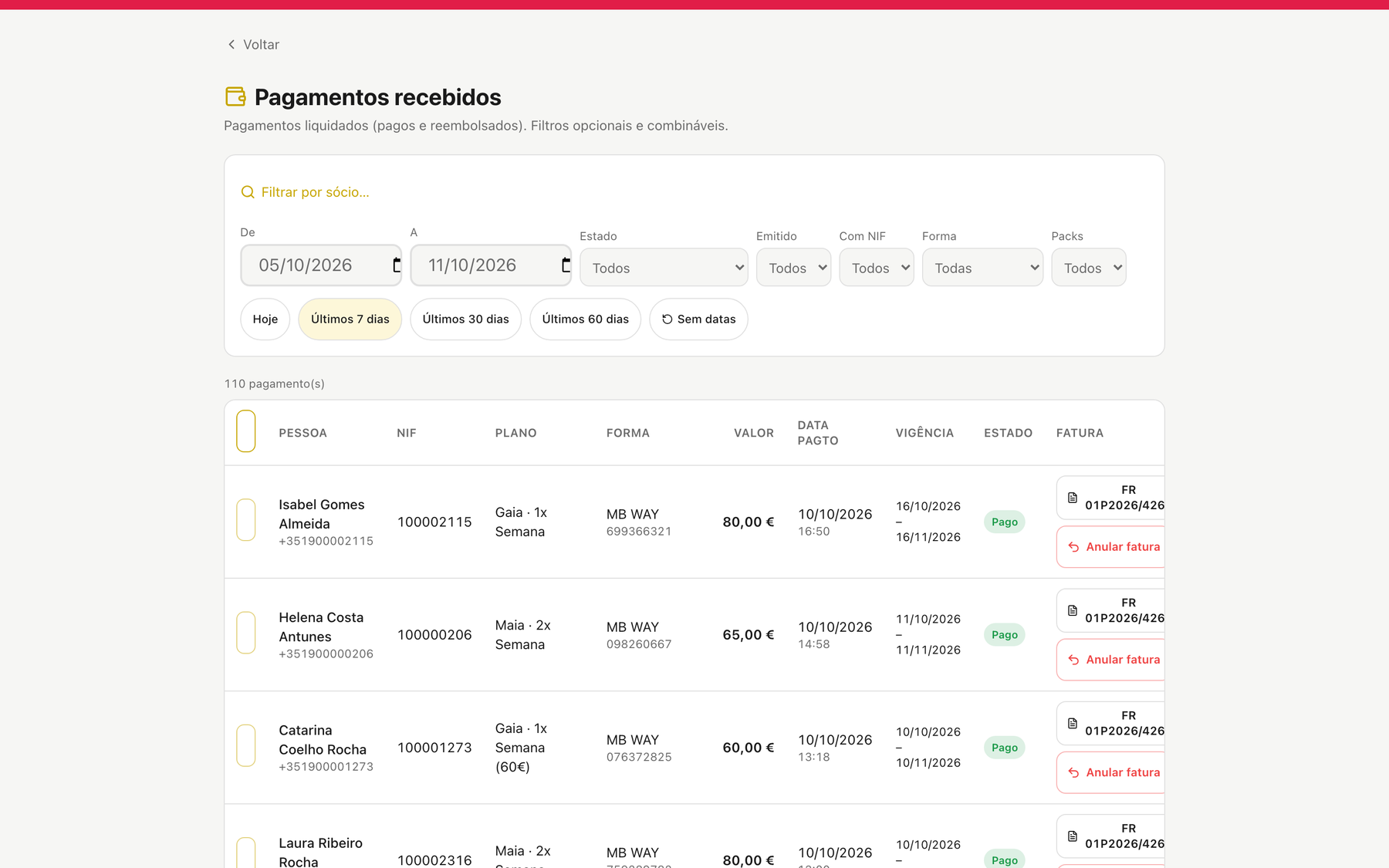
01e-admin-payments.png
Payments received (staff): method, amount, validity and the issued invoice per row.
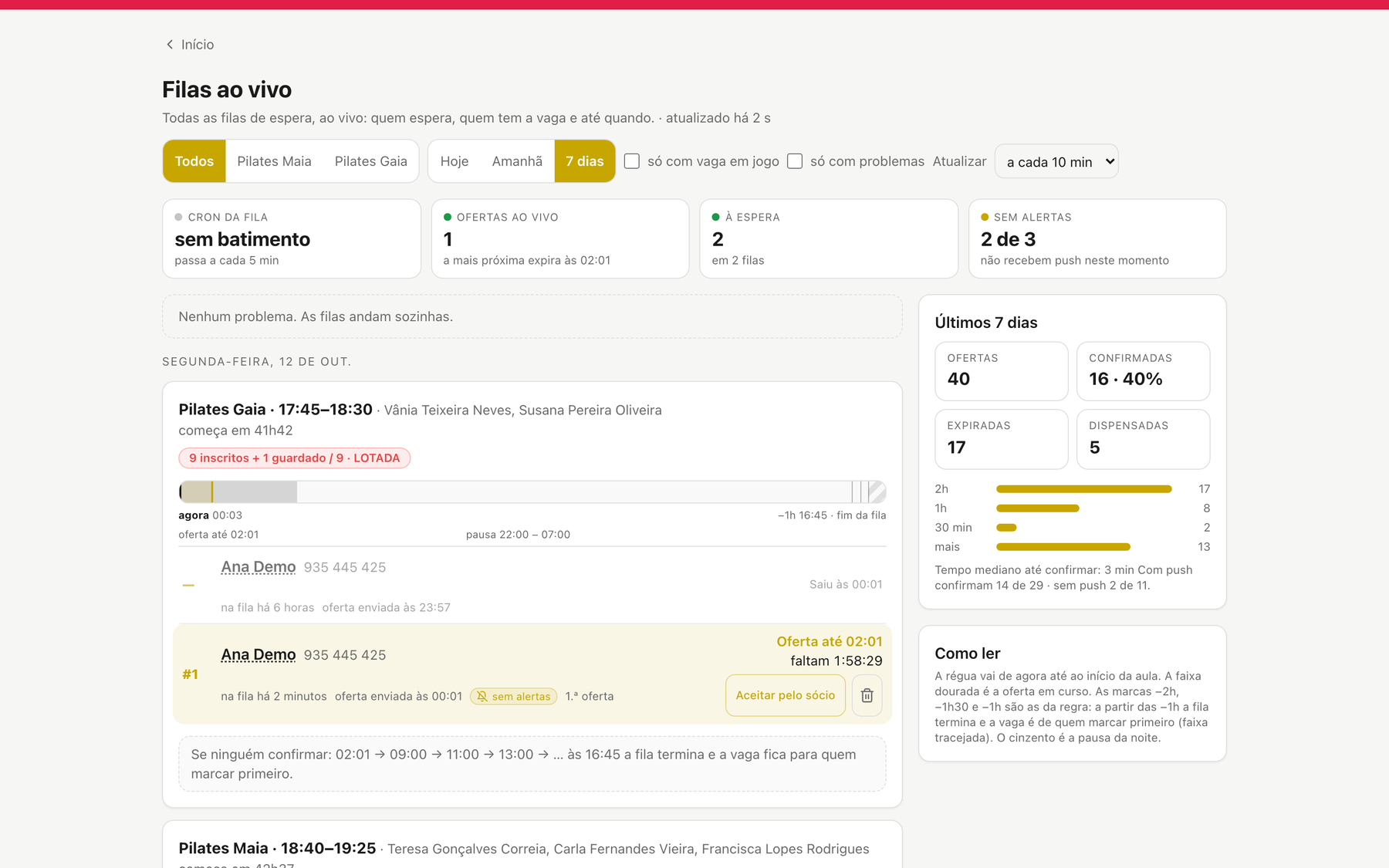
02c-admin-waitlist-live.png
"Live queues" for the director: every queue, live offers, last-7-days outcomes.
02d-waitlist-help.png
In-app guide "How the waitlist works".
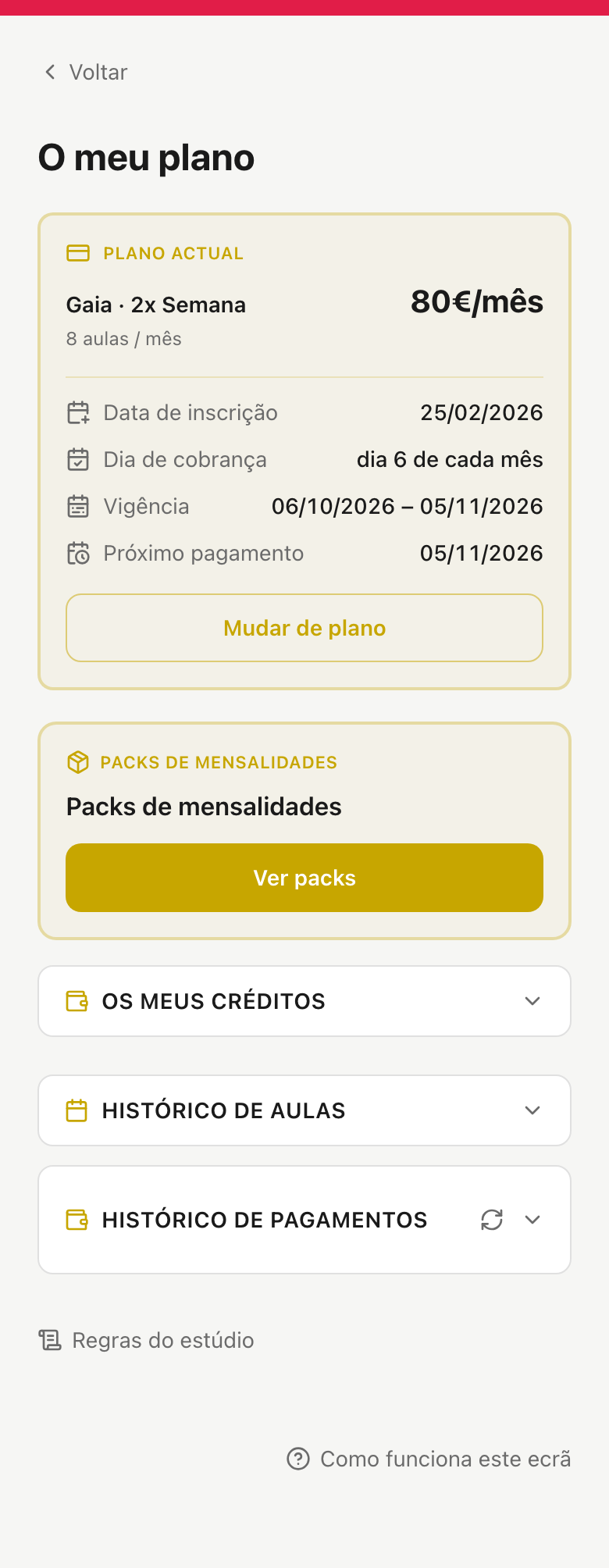
03c-my-plan.png
My plan: current plan, billing day, validity, packs, credits and history.
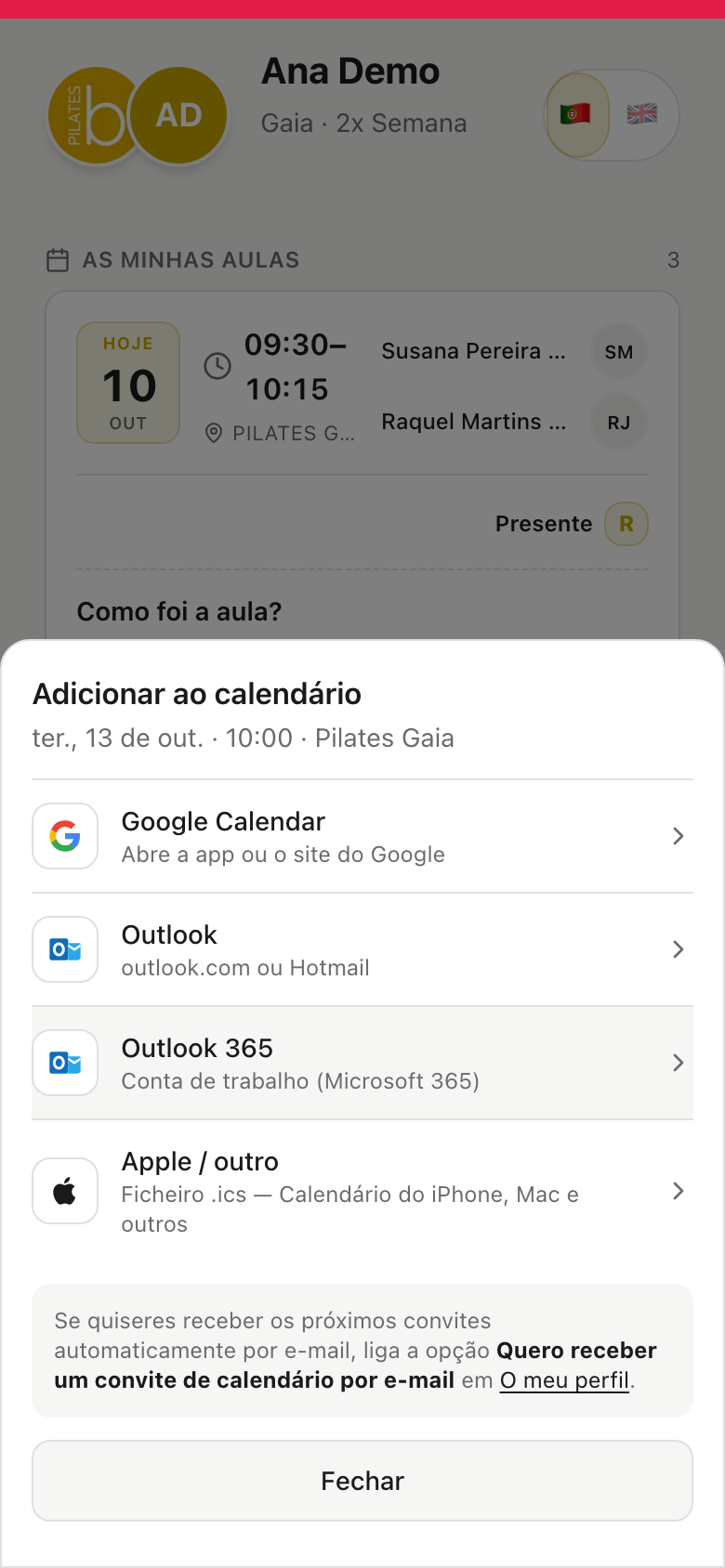
03d-add-to-calendar.png
Add a booked class to Google, Outlook or Apple calendar.
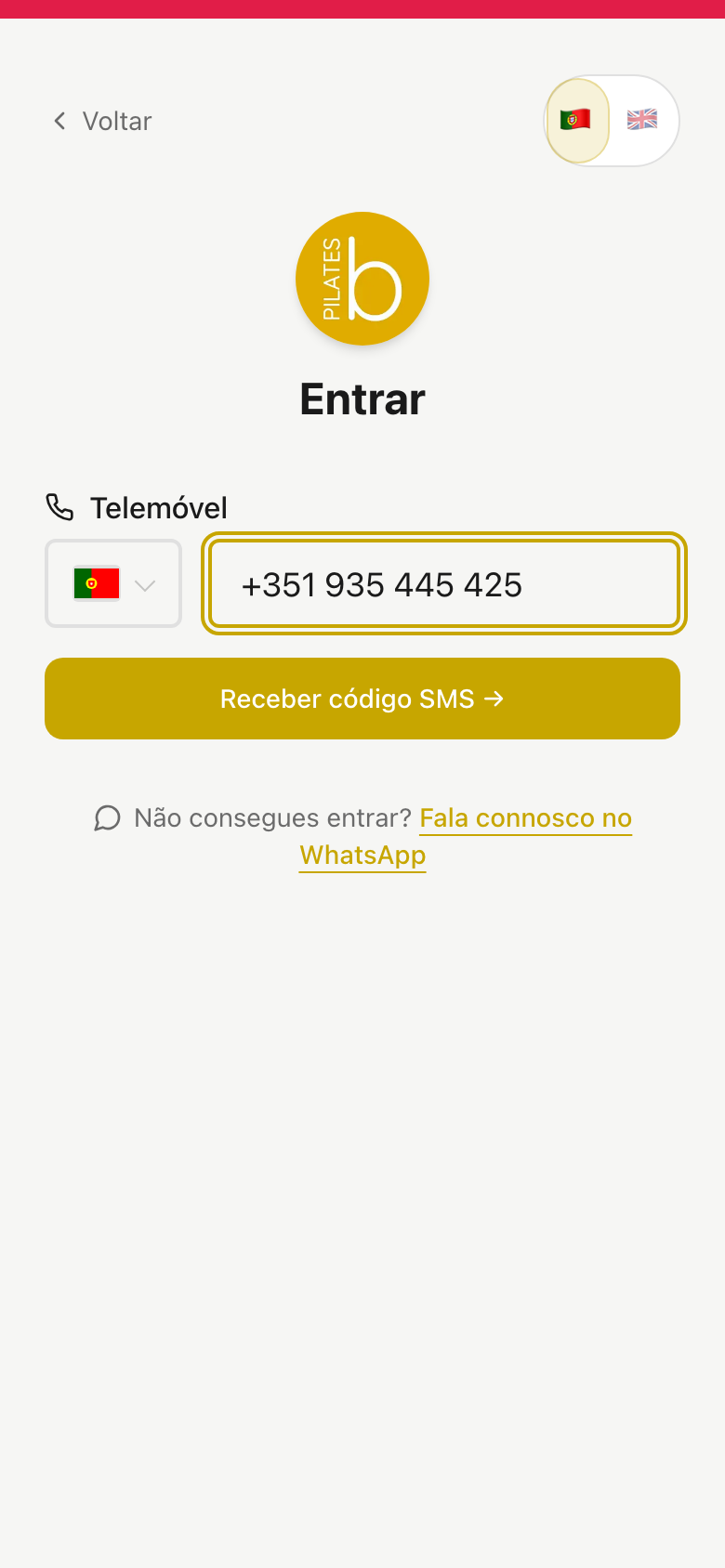
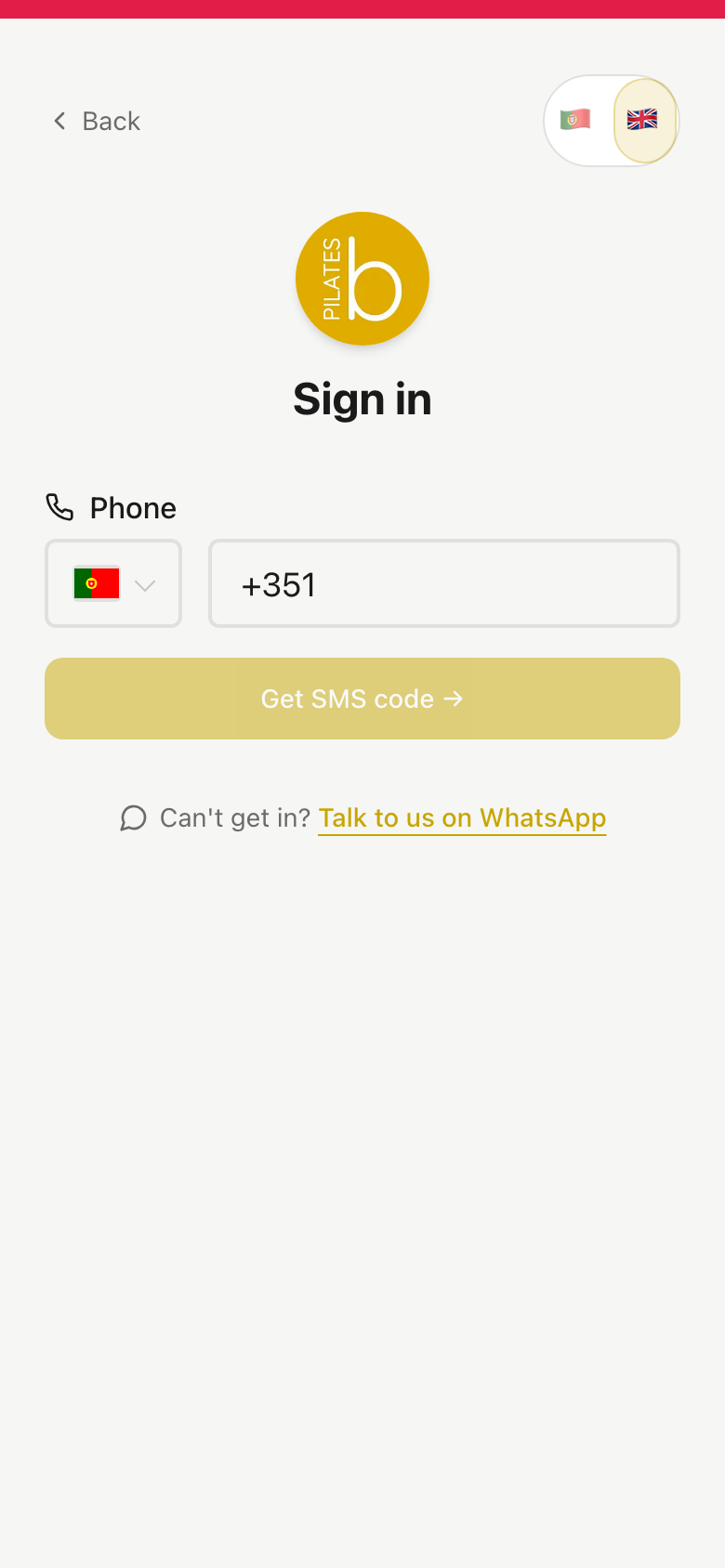
03e-login.png
Sign in with the phone number and an SMS code.
03f-login-en.png
The same sign-in screen in English (one tap on the flag).
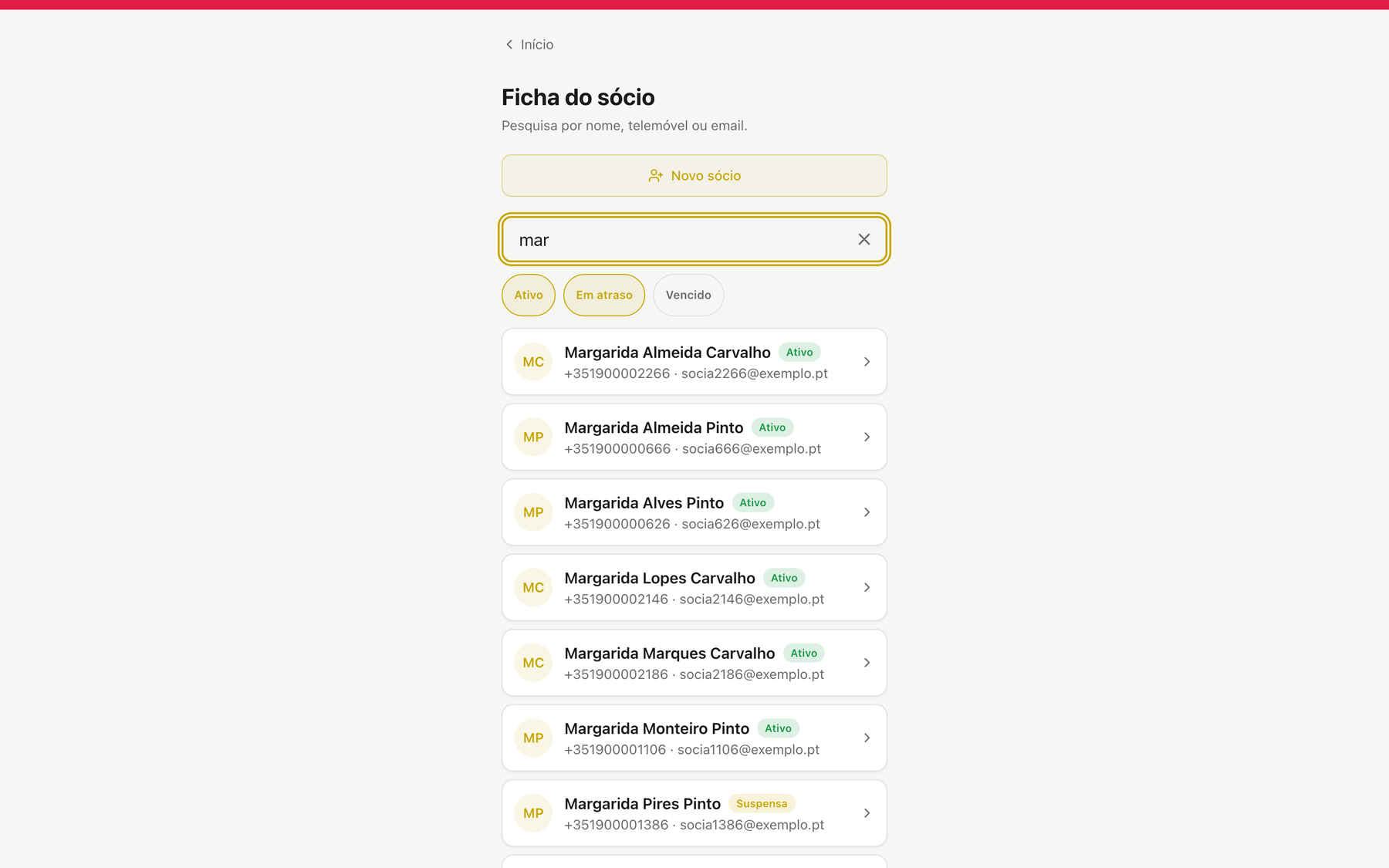
04d-admin-member-search.png
Member search: any words in any order, status filters.
05c-journey.png
The journey: 9 badges earned with classes, gifts and extra booking days along the way.
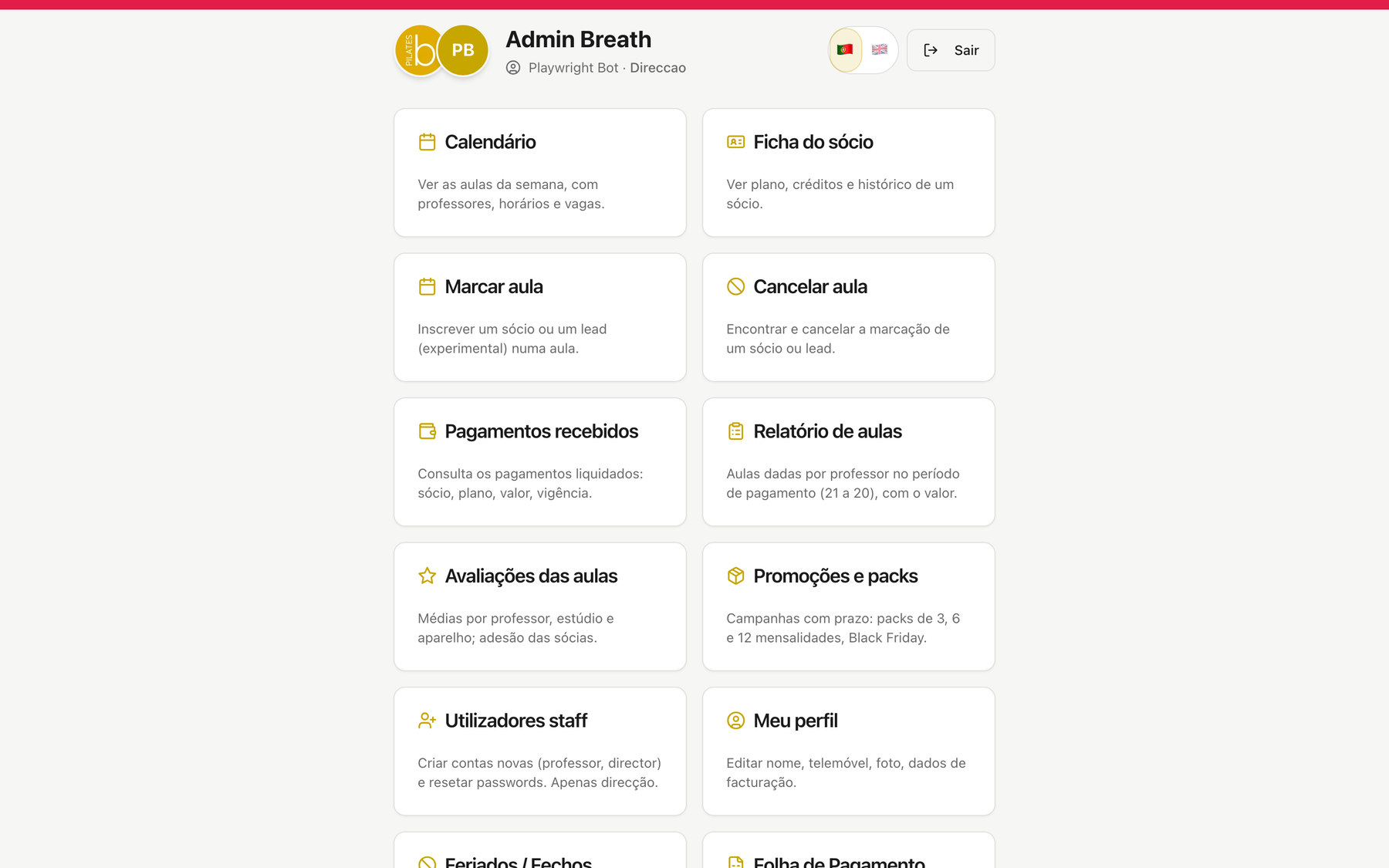
06-admin-home.png
The staff home: calendar, grid, members, payments, queues, ratings, reports.

Frequently asked questions

What kind of business is Studio App for?

Any business with booked group classes and limited capacity: Pilates studios (reformer or mat), gyms with group classes, CrossFit and functional training boxes, yoga, barre and dance studios. It runs in production at two Pilates studios.

Can classes be flexible or on a fixed schedule?

Both. With flexible booking, each member books and cancels the classes they want in the app, within their plan. With a fixed schedule, the member is enrolled in the same weekly class and only needs to report an absence. Plans are based on weekly frequency (for example 1, 2 or 3 classes a week), with credits per cycle, and class capacity is never exceeded.

Can I run several disciplines in the same space?

Yes. Pilates, yoga, spinning, functional training or dance can share the same grid, each discipline with its own classes, instructors and capacity, and members filter the timetable by the discipline they practise.

Do members need to install anything?

No app store needed. The app opens from a link and installs on the phone's home screen, on iPhone and Android, with notifications. Members sign in with an SMS code, Face ID or fingerprint, no passwords.

Which payments does it take, and does it issue invoices?

MB WAY and Multibanco references. Once the payment is confirmed, the certified Portuguese invoice (with ATCUD and QR code) is issued automatically, with no one clicking.

Is there an automatic waitlist?

Yes. When a class is full the member joins the queue; if someone cancels, the seat is offered to the first in line with a deadline to confirm, and moves to the next if they don't.

Does it work with more than one location?

Yes. Several studios or rooms share one member list, one team and one calendar, with filters per location.

How do I move from the system I use today?

We set the app up with you: class grid, plans, prices and team, and we import your members. It is not a self-service sign-up: we launch it together.

How much does it cost?

It depends on the number of members and locations. After a free conversation you get a fixed quote, with no surprises.

In numbers

600+
active members using the app
1 200+
bookings in the app per week
500+
payments with invoicing processed online per week
4.9 β˜…
average of 500+ class ratings

Live at Breath Pilates, in Maia and Gaia, since August 2026.

Want to see the app running with your timetable?

We'll show you the member app and the team panel with your studio's own grid. No commitment.

Request a demo

← Back to home